On this page(8)
How does SMTP work? The short answer
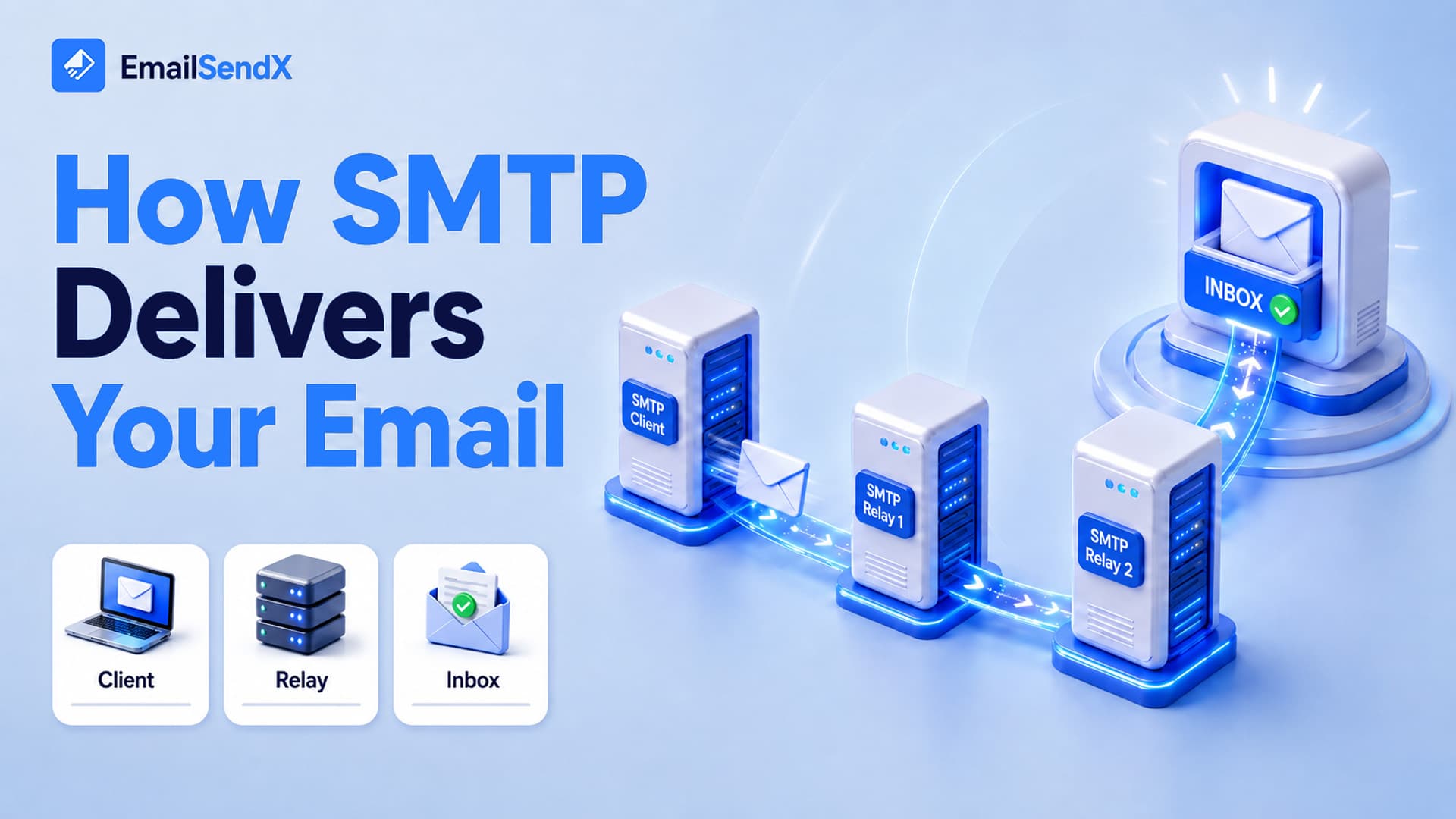
How does SMTP work? SMTP (Simple Mail Transfer Protocol) is the language email servers use to send and relay messages across the internet. When you hit send, your mail client hands the message to an SMTP server, which finds the recipient’s mail server via a DNS lookup and delivers it through a short, structured conversation called the SMTP handshake. SMTP only sends mail — retrieving it from your inbox is the job of IMAP or POP3.
Email feels instant, but behind that one click is a relay race between servers, each speaking SMTP. Understanding how SMTP works isn’t academic: nearly every deliverability problem — bounces, delays, spam-folder placement — is an SMTP conversation that didn’t go as planned. This is the first post in our “How email actually works” series, and below we cover what SMTP is, the handshake, SMTP ports, response codes, and how SMTP differs from IMAP.
What is SMTP, exactly?
SMTP is a push protocol: it moves a message from a sender toward a recipient’s server. It was first defined in 1982 and refined over the decades, but the core conversation has barely changed. Think of SMTP as the postal network that carries the envelope — not the mailbox you open to read your letters. Four players handle every message:
| Component | Role | Everyday analogy |
|---|---|---|
| MUA — Mail User Agent | Your email app or sending API | You, writing the letter |
| MSA / MTA | The SMTP server that accepts and relays your mail | The post office and mail trucks |
| MX server | The recipient domain’s incoming server (found via DNS) | The destination post office |
| MDA — Mail Delivery Agent | Drops the message into the mailbox | The carrier filling the box |
The journey: what happens when you hit send
Your app
SMTP relay
recipient MTA
S: 250 Hello, pleased to meet you
C: MAIL FROM:<[email protected]> → RCPT TO:<[email protected]> → DATA
S: 250 OK → 354 Send data → 250 Message accepted
C: QUIT
Step by step:
- Submission. Your app (MUA) connects to your SMTP server on a submission port and authenticates.
- DNS MX lookup. The server reads the recipient’s domain (everything after the
@) and asks DNS which server receives mail for it — the MX records. - Relay & handshake. Your server opens an SMTP conversation with the recipient’s MX server and delivers the message.
- Acceptance or rejection. The receiving server replies with a numeric code — accept, defer (try later), or reject.
- Delivery. Once accepted, the MDA files the message into the mailbox, where IMAP or POP3 later retrieves it.
The SMTP handshake, line by line
The conversation between two servers is plain text (C = client/sender, S = server/receiver):
C: EHLO mail.sender.com
S: 250-mx.recipient.com at your service
C: MAIL FROM:<[email protected]>
S: 250 2.1.0 OK
C: RCPT TO:<[email protected]>
S: 250 2.1.5 OK
C: DATA
S: 354 Go ahead, end with <CRLF>.<CRLF>
C: Subject: Hello
C: (message body...)
C: .
S: 250 2.0.0 OK: queued as 9F2A1
C: QUIT
S: 221 2.0.0 Bye
Notice the MAIL FROM (the envelope sender, used for SPF and bounces) is separate from the From: header your recipient sees. That distinction is the root of a lot of authentication and spoofing nuance.
An email isn’t “sent” the moment you click. It’s queued, and only truly delivered when the receiving server replies with a 250. Everything between is SMTP negotiating trust.
Which SMTP port should you use?
| Port | Use | Encryption | Verdict |
|---|---|---|---|
| 587 | Modern submission (app → server) | STARTTLS | Recommended default |
| 465 | Submission over implicit TLS | SSL/TLS from connect | Good alternative |
| 25 | Server-to-server relay | Optional | Not for app submission; often blocked |
| 2525 | Fallback when 587 is blocked | STARTTLS | Unofficial but widely supported |
Rule of thumb: your application should submit on 587 (or 465). Port 25 is for servers talking to each other and is frequently blocked on consumer and cloud networks to curb spam.
Reading SMTP response codes
Every reply starts with a three-digit code. The first digit tells you almost everything:
| Class | Meaning | Examples |
|---|---|---|
| 2xx | Success — accepted | 250 OK · 221 closing |
| 3xx | Intermediate — server wants more | 354 start mail input |
| 4xx | Temporary failure — retry (soft bounce) | 421 unavailable · 451 greylisted |
| 5xx | Permanent failure — don’t retry (hard bounce) | 550 no such user · 554 rejected |
A 4xx means “not now, retry” — your server queues and re-attempts. A 5xx means “never” — keep sending to that address and you’ll damage your reputation. We break down every code in our email bounce codes guide.
SMTP vs IMAP vs POP3: sending vs reading
A common confusion: SMTP doesn’t fetch your mail. It only pushes it outbound. Retrieving messages is a different job:
| Protocol | Direction | Job |
|---|---|---|
| SMTP | Outbound (push) | Send & relay mail between servers |
| IMAP | Inbound (sync) | Read mail, kept & synced on the server across devices |
| POP3 | Inbound (download) | Download to one device, often removing it from the server |
So your phone uses SMTP to send and IMAP to read — two protocols, one app. We cover the receiving side in How IMAP works (and why it isn’t POP3).
Why SMTP knowledge saves your deliverability
- A 550 in your logs = the address is dead; suppress it.
- Repeated 421/451 = you’re being rate-limited or greylisted; slow down and let retries work.
- An SPF failure appears because the
MAIL FROMdomain didn’t match an authorized server — an SMTP-level mismatch. - Long delivery delays usually mean messages are stuck in the SMTP retry queue, not lost.
Let the SMTP layer handle itself
EmailSendX manages the SMTP plumbing for you — submission on secure ports, automatic MX routing, retry handling for soft bounces, and authentication baked in — so you send via a simple API or SMTP relay and we negotiate the handshake, the codes, and the retries behind the scenes.
Frequently asked questions
Is SMTP used to receive email?
No. SMTP only sends and relays mail between servers. Receiving and reading mail from your mailbox is handled by IMAP or POP3.
What’s the difference between port 587 and 465?
Both are for submitting mail securely. 587 uses STARTTLS (upgrades a plain connection to encrypted); 465 uses implicit TLS (encrypted from the first byte). Either is fine — 587 is the modern default.
Why was my email accepted but still didn’t arrive?
SMTP acceptance (a 250) only means the receiving server took the message. Filtering happens afterward — it may have been routed to spam or quarantined based on reputation and authentication.
What does EHLO mean?
It’s the greeting that opens the SMTP conversation (“Extended HELLO”). The sending server introduces itself and asks which features the receiver supports.
Ready to try it?